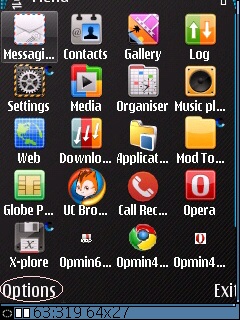
1. Using lcg xplore, Extract the folder 10207254 to C:/private then overite.
2. Using lcg xplore ulit, extract the c2zbin.rmp and menuGrid.rmp to E:/patches.
3. Go to your Rompatcher plus, add to auto and i-ON nyo ung menuGrid.rmp at c2zbin.rmp.
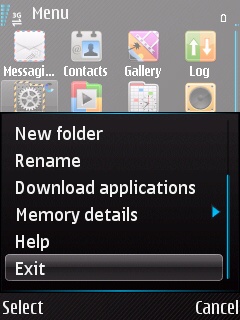
4. In this part, i do not use jbaktaskman to kill or exit the menu. Next is "Exit the Menu". How to exit the Menu?? see screenshots below. No need to turn off your phone. Done!
Go to Menu of your phone Press "Option" Press "Exit" and your Done!
If you want to change or use other grids, just copy and replace nyo lang ung nasa folder ng 10207254 then overite. Dapat naka "add to auto/ON" ung Open4All_RP+ sa rompatcher para maaccess nyo ung Folder sa C:/private.
Credits to the original author, and to me syempre for the revised detailed tutorial. Hehe Enjoy guys!


 Extend Menu Grid